• Skip to primary navigation
  • Skip to main content
  • Skip to primary sidebar

StoryToGo

Exploring storytelling in its many forms in this digital age

  • Our Story
    • Our Creatives
    • Join the StoryToGo Community
  • Community Resources
    • Web Monetization Guide
      • Web Monetization Resource Library
        • Web Monetization Tutorials
        • Web Monetization Research Papers
        • Interviews and Case Studies on Web Monetized Projects
      • Web Monetized Content Library
        • Web Monetized Courses
        • Web Monetized Podcasts
        • Web Monetized Social Networking Platforms
    • Podcasting with my Cat
      • Sustainable Funding Series Vlogcast
      • Encounters in EdTech Podcast
      • The Creative Farm Podcast
      • Boma Global Studios Podcast
    • Job Board
    • Storytelling Case Studies
  • Digital Magazine
    • Accessibility
    • Art Therapy
    • Blogging
    • Case Studies
      • Analyst Report
      • Extended Reality
      • Sustainable Funding
    • Community Building
    • EdTech
    • Gaming
    • Immersive and Interactive Media
      • XR
    • Performance Arts
      • Acting
    • Social Media
    • Storytellers
      • Alex Charters
      • Bjorn Yearwood
      • Erica Hargreave
      • Henry Hargreave
      • Jennifer Rose Garcia
      • Lori Yearwood
      • Mary McDonald
    • Tech Tips
    • Web Monetization
  • Professional Development
  • Calendar
  • Contact

EdTech

Inclusive Design Action Plan

July 30, 2022 by Erica Hargreave Leave a Comment

Personal Reflections on my Inclusive Design Action Plan Brainstorming Mind Map

One of the goals that has been important to me in studying my Masters of Educational Technology has been to gain a greater understanding and immersion in accessible digital design, and hence universal design for learning (UDL) and inclusive design. Tied to this, I wanted to gain a better understanding of disability thinking and language, as well as of systemic ableism. While promoting accessibility, equity, and diversity have long been central and important to my team’s and my storytelling at Ahimsa Media (a company founded on the concept of crafting media that is about creating around the notion of “love and peace on the road to harmony with your surroundings”), I have become much more aware of accessibility issues, as well as systemic ableism, inequities, and the treatment of marginalised groups since a car accident in 2013 that gave me new disabilities, changing my life and realities. This has made accessibility, inclusion, equity and disability storytelling central to my creative partner’s and my goals in our storytelling, course development, and digital design.

To listen to this article, click the red play arrow on the SoundCloud recording below:

StoryToGo · Inclusive Design Action Plan – a StoryToGo Read

This was so important to me that I both fought to get such a course included in my Master’s program and spent an extensive amount of time researching courses that would meet UBC’s criteria for it to be accepted as a credit into my Masters. For others searching for such a Masters course in Canada, while there are courses and self paced resources on accessibility, universal design for learning, and inclusive design that can be accessed online, I could only find two online Masters courses that fit my needs and desires – GDSE 584: Assistive Technology and UDL: Foundations & Exemplary Practices at Vancouver Island University and INCD 6016: Inclusive Art, Design and Communications at OCAD. I took GDSE 584, catching Dr. Paul Hamilton in his last course before retirement, and am incredibly thankful that I did, as this course and Paul’s resources made me aware of a number of resources that stand to improve both my students’ and my own life. In addition to GDSE 584, I have also taken ETEC 565C: Ableism, Equity and Educational Technology from UBC, which along with speaker training from RespectAbility, have helped me with gaining a better understanding of disability history, thinking and language, as well as of systemic ableism.
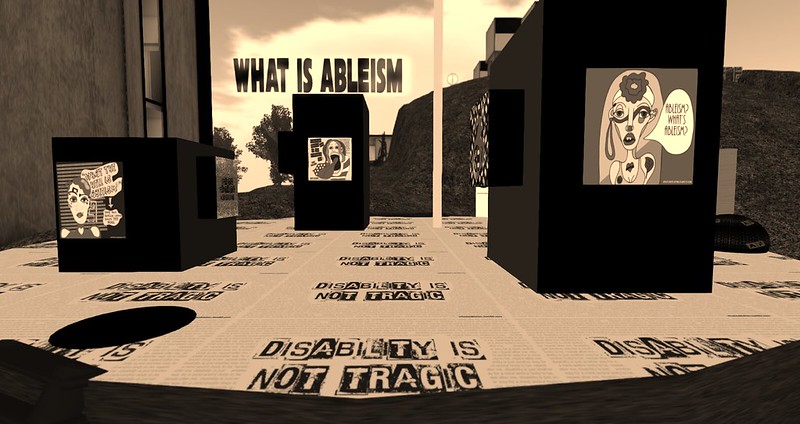
Art installation exploring What is Ableism. "Disability is not tragic."
Vanessa Blaylock‘s photo of Sun Cat Mellison’s installation What is Ableism?

For those of you looking for open and self paced study on Accessibility, Universal Design for Learning, and Inclusive Design, as a starting place, check out the resources below:

  • UDL Resource
  • SET BC Resources
  • RespectAbililty Resources
  • Understanding Web Accessibility Self Guided Course
  • SNOW Inclusive Learning and Education
  • The Inclusive Design Guide
  • Inclusive Learning Design Handbook

You can also discover my initial understanding and reflections on universal design for learning and inclusive design by visiting Exploring Universal Design for Learning and the Evolution to Inclusive Design.

As I have been working my way through GDSE 584, I have been doing so with crafting an Inclusive Design Action Plan in mind.


Crafting My Inclusive Design Action Plan

In crafting my Inclusive Design Action Plan, it is rather fitting that I was drawn to utilising a Mind Mapping / Illustrated Concept Building App called Concepts. The reason why this was so fitting is that mind mapping has played an enormously important role for me in my journey with dyslexia. It is a skill that a grad student, who I met with weekly in my first year of university, taught me to both organise my thoughts and my writing. I wish I remembered that grad student’s name, as by teaching me to mind map it is thanks to her that I learned to organise the many, many thoughts and connections that whirl around in my brain, helping to enable me to become a professional writer, communicator and storyteller.
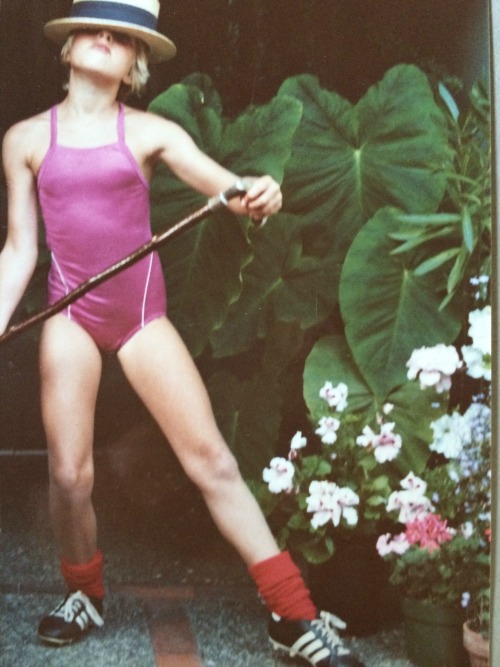
A young Erica Hargreave of around 8 -10, performing a dance in a straw flat top hat tilted down over her eyes, with a cane, while dressed in a purple swimsuit and wearing soccer cleats.

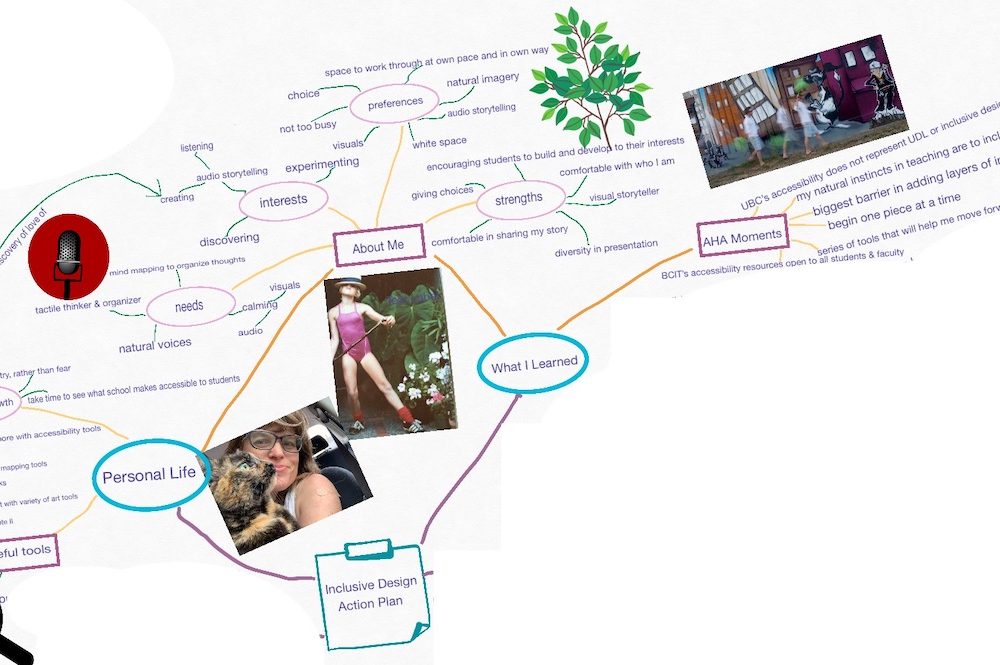
And in this case processing my thoughts around creating an Inclusive Design Action Plan, you can see from the mind map below that they are many and varied, as I have been processing and reflecting on inclusive design in how it impacts my personal life, how I can implement it in my courses, and how to utilise it as I approach my storytelling and media creation.
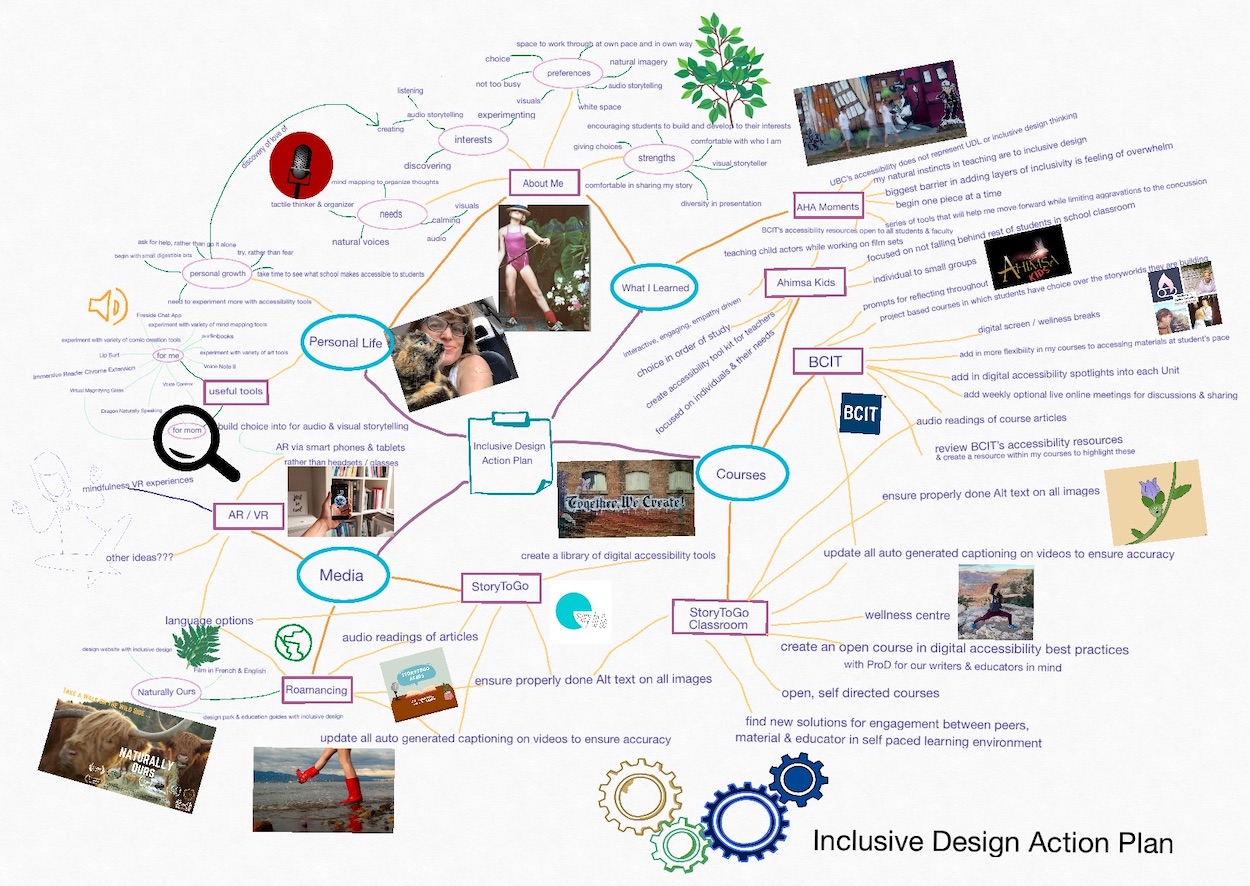
Inclusive Design Action Plan Mind Map
Processing my thoughts on UDL and Inclusive Design as I develop my Action Plan.

Below you will find my Inclusive Design Action Plan for my personal life, course development and teaching, and storytelling and media creation.

Inclusive Design in My Personal Life

In addition to dyslexia, I am someone that manages chronic pain, chronic fatigue, and post concussion syndrome, post two car accidents. These, and particularly the post concussion syndrome have posed some challenges to me in approaching my Masters. Some of those challenges I addressed by finding a Masters Program that fit for my desired studies and was part time and online, allowing me to create my own pace at working through my studies. It should be noted here though, that in making a decision that was best for my health and self-esteem (in not constantly having to ask for special accommodations), I later learned that this meant I was unable to access the Canada Student Grant for Students with Permanent Disabilities as the rules surrounding make the grant inaccessible to students registered in part time studies programs. This is an example of systemic ableism in our Canadian education and student aid system that not only impacts students with disabilities that need part time studies, but also students that require part studies as they are caring for children or sick loved ones. I have tried raising these concerns with my MP and MLA, but those governing this grant federally point the finger at provincial student aid systems and provincial student aid systems point the finger back at the federal system, resulting in nothing being changed.
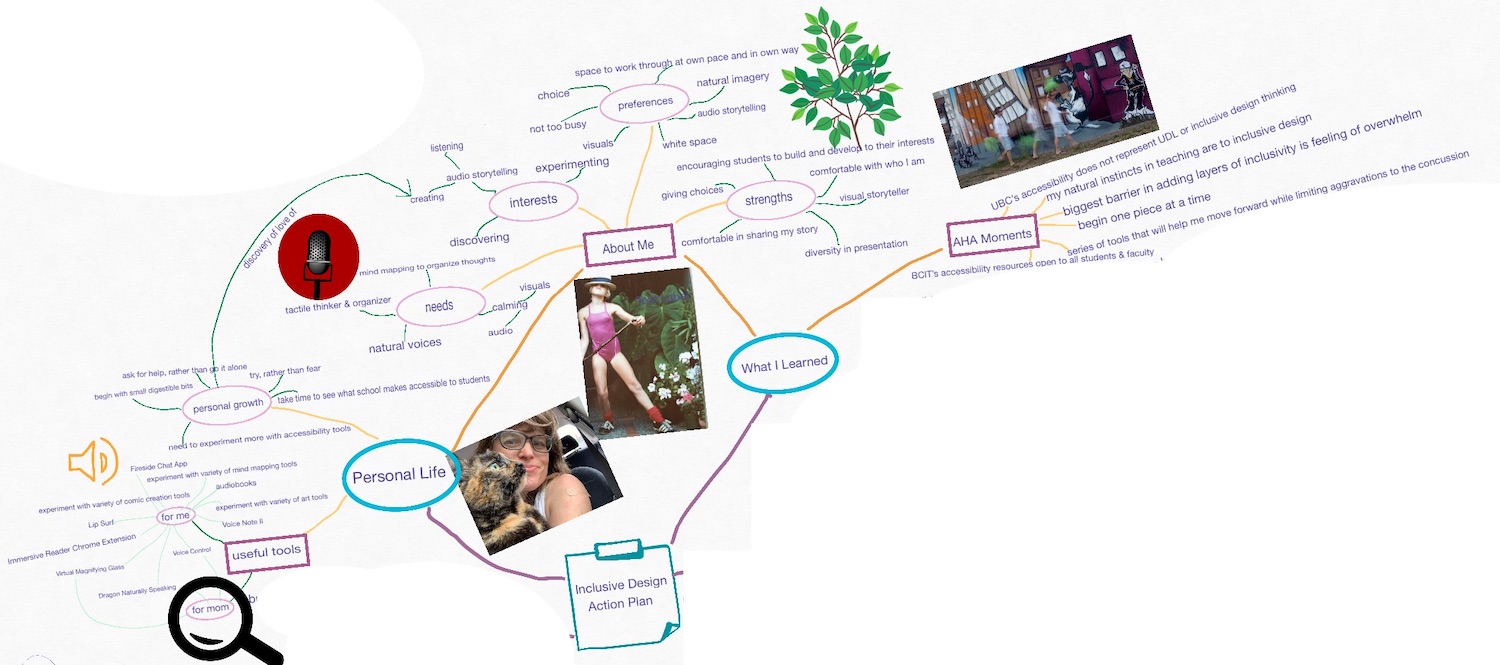
Personal Reflections on my Inclusive Design Action Plan Brainstorming Mind Map.
Reflecting on the personal side of UDL and Inclusive Design in my life.

With my post concussion syndrome, I asked for help from the Accessibility Centre as online readings were aggravating my concussion badly. This was met with being doled out, prescribed accessibility solutions one at a time, and only after I visited the Accessibility Centre in person to have my needs accessed. At which point I was told that the tools I was being given came at great cost, in the case of Read and Write Gold, which I have since discovered is not the case, and that only they could place the program on my laptop. Only after Read and Write Gold further aggravated my symptoms was I introduced to the next option of having my course readings read in real voices for me. This has been a good solution for me, but is limited to only the ‘officially published course readings’ and not to research readings, written materials within the course or engagement with my peers in the course, and offers for no on-going solution after I am done my Masters. In reflecting on this experience in the context of universal design for learning and discovering all the tools that Paul has introduced us to in GDSE 584, I have been feeling quite emotional. Not only was I treated in my Master, upon asking for help and expressing my needs, in a way that made me feel as though I was the problem child, but now that Paul has introduced me to the array of resources available and encouraged me to experiment and build a tool kit that works for me, I realise that could have had the resources to better balance pushing myself forward while limiting aggravations to the concussion symptoms all along. In moving forward, this is something that I need to take a moment to acknowledge and grief, as well as learn from.

For my personal Inclusive Design Action Plan, this means:

  • taking the time to research new / new-to-me accessibility tools
  • experimenting with those new / new-to-me accessibility tools
  • occasionally revisiting accessibility tools to see how they have changed over time, and if those changes meet my current needs
  • recognising what my current needs are
  • building an accessibility tool kit that meets those current needs

My current needs include:

  • mind mapping to organise my thoughts
  • tactile ways of thinking and organising
  • calming visuals that aren’t too loud
  • calming audio
  • natural voice readings
  • reminders to limit work and screen time
  • regular offline / calming breaks
  • healthy relationships
  • dimmed lighting
  • an environment in which I can control my work position, lighting and sound
  • audio recordings for remembering details from interviews
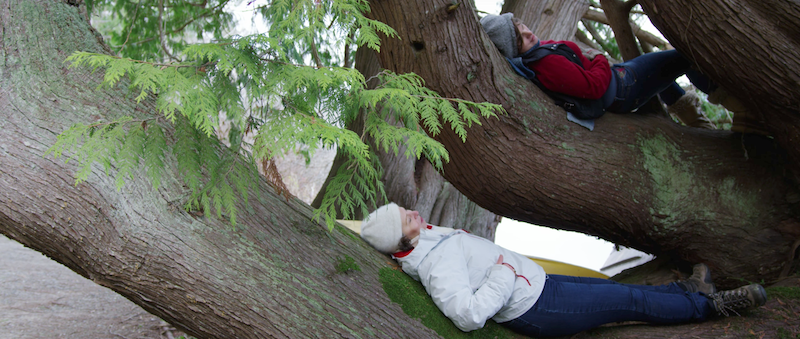
Two women lying in a tree
Cornelia Krikke teaching me about being mindful in the moment and grounding in nature.

I feel as though I am just beginning to discover all the accessibility tools available to me, but some of the ones that I have added to my tool kit thus far, include:

  • f.lux – to control the brightness of my computer screen
  • Voice Control on my Apple devices to limit my time looking at screens
  • mind mapping / concept visualising tools like Concepts
  • Immersive Reader Chrome Extension as a more natural sounding text reader
  • Audiobooks
  • Fireside Chat App for limiting screen time while conducting public interviews
  • Cognitive Accessibility features on Apple Devices
  • Magnifier on iOS Devices
  • Voice Memo for recording non-public audio interviews
  • Background Sounds on Apple Devices to allow me to focus on calming sounds and blockout sounds that are potentially aggravating my concussion or nervous system

As I mentioned, this is just beginning of my experimenting and building my toolkit, but on my priority list are:

  • experimenting with and finding a dictaphone app I like, like Voice Note II or Dragon Naturally Speaking
  • trying out Lip Surf
  • finding a helpful and calming break reminder

Implementing Inclusive Design into my Course Development and Teaching

One of the positive realisation in studying Universal Design for Learning has been discovering that much of the approach to Universal Design, through giving students choice and diversity in the manners in which the materials are presented, is how I have always been intuitively drawn to teach, along with empowering students to take ownership over their learning by getting them to develop and design projects of their choosing, that matter to them. In addition, with my own struggles with my post-concussion syndrome in my own studies, Lori Yearwood and I began to build fun and calming screen break activities into our online course to both remind students to take a health and wellness break and share some healthy digital hygiene with our students. We have shared those screen breaks as open educational resources on my speaking site under the category of Online Activity Breaks.
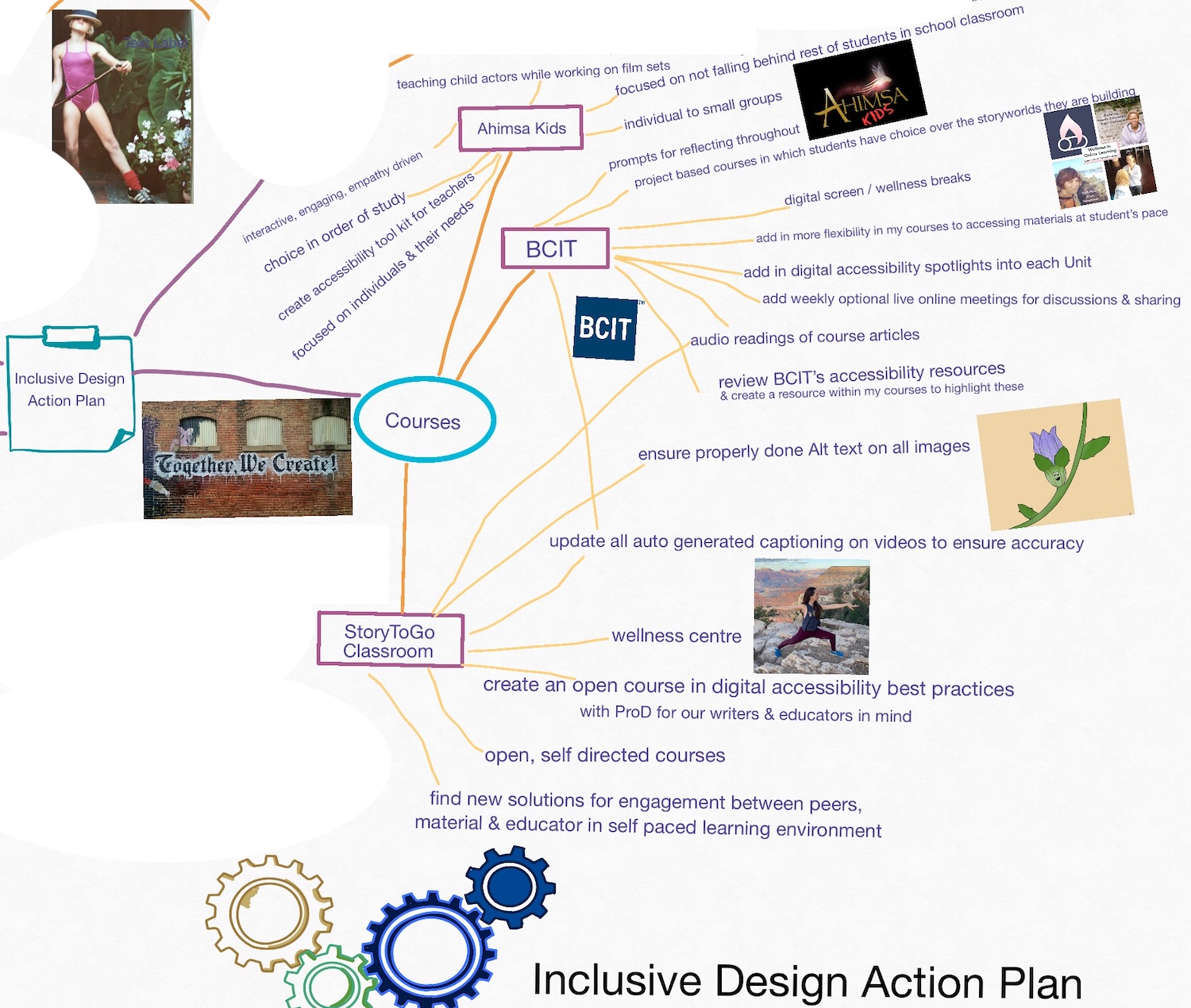
Course Reflections on my Inclusive Design Action Plan Brainstorming Mind Map.
Reflecting on my teaching and how I might apply UDL and Inclusive Design to my courses.

There are a number of areas in my courses that I could and should address to be even more inclusive in my course design and teaching. As I teach to very different students in very different venues, I will address some of those key teaching environments below.

BCIT

At BCIT, I predominantly develop and teach online, asynchronous (on your own schedule), credited courses for adults in the Broadcast Media and Communications Part Time Studies Program, although I do also develop and lead synchronous online summer camps for kids and have been asked to develop and lead in-person summer intensives for adults. All of my courses are project based with the subject matter of the project being up to the participants, with the hope that they will build the base for something of use to them in their future endeavours. These courses also involve students experimenting and reflecting on what they learn from both the course materials and their experiments, and how they will apply that to the continued growth of their project and / or future endeavours.
"together we create" street art
Image care of ‘My Life Through a Lens’ on UnSplash.

With my online courses, BCIT has now added an audio reader at the beginning of all of my course readings to allow the students to listen to the reading, should they choose to do so.

I have also discovered that BCIT’s Accessibility Services has created a new Adaptive Technology Lab that shares accessibility tools like Read & Write Gold, some of which are accessible to all students and staff, and others which students need to have registered with the Accessibility Lab to access through BCIT.

My action plan to make my BCIT courses even more accessible and inclusive, includes:

  • creating an optional ‘opening Unit’ on Accessibility in my courses with an overview of tools, so that students can review and put together their own accessibility tool kits
  • making the ‘opening Unit’ on Accessibility available to students before the actual course begins
  • giving students access to the course in it’s entirety from Week 1, so that students can work ahead when reviewing elements of ease to them, and spend more time working through the elements that present them with a greater time investment
  • updating each unit of each course to include a health and wellness activity break
  • as I teach things like digital storytelling, I’d like to add in digital accessibility spotlights into each unit, so that students are thinking accessibility and inclusivity in creating their digital content
  • adding natural voice audio recordings of all of the course readings
  • updating all auto generated captioning on course videos created by myself or my team to ensure accuracy in the captioning
  • ensuring that all imagery has properly done Alt text on it
  • the addition of weekly optional virtual sessions for discussion on the content, Q&As, and sharing of the content everyone is working on
  • a virtual hang out space in Spatial for students to use and connect when they wish with examples of past students work, like in this Spatial gallery that I built for the Interledger Foundation
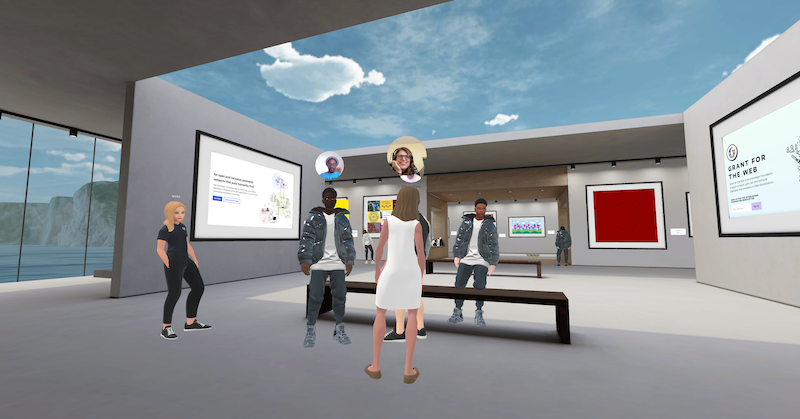
Virtual Web Monetization Gallery in Spatial
Web Monetization Gallery in Spatial.

StoryToGo Classroom

The StoryToGo Classroom was designed with the idea of being able to provide more in-depth resources and learning activities to build upon our talks and workshops, as well as to provide clients with the knowledge and the skills to manage the digital storyworlds and communities that we build for them longer term. We also had the vision of this being a space to bring our varied community of storytellers, technologists and educators together to teach and learn from one another.
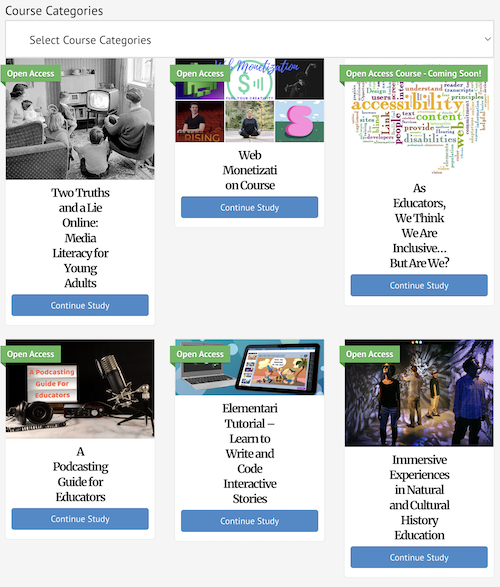
This teaching portal came through to fruition at the beginning of the pandemic, and as such has been used for other needs, in addition to the aforementioned ones, including synchronous online courses for kids and online teaching support environments for Ahimsa Kids.

Aside from the kid classes, a number of open, self-directed courses have been created in the StoryToGo Classroom to explore ideas in contemporary media and education, as well as craft and share health and wellness tools. Long term, we want to build a ‘health and wellness studio’ and ‘teaching resource centre’ on this site, along with our courses in contemporary media and private group classes.

In terms of universal design, our inclusive design action plan for the StoryToGo Classroom includes:

  • creating an open course on Building Your Digital Accessibility Tool Belt with an overview of tools, so that participants can review at their leisure and put together their own accessibility tool kits
  • creating an open course on Digital Accessibility Best Practices with professional development for digital storytellers and educators in mind
  • giving the students the ability to work through the courses in a manner of their own choosing
  • in courses relating to digital storytelling, adding in digital accessibility spotlights into each unit, so that students are thinking accessibility and inclusivity in creating their digital content
  • adding natural voice audio recordings of all of the course readings
  • updating all auto generated captioning on course videos created by myself or my team to ensure accuracy in the captioning
  • ensuring that all imagery has properly done Alt text on it
  • an invitation to the StoryToGo Facebook public and private groups to ask questions, discuss ideas / concepts, and share their work with the broader community
  • a virtual hang out space in Spatial for participants to use and connect when they wish with examples of community work, like in this Spatial gallery that I built for the Interledger Foundation
  • continue building wellness studio and resources
  • finding new ways within the courses to encourage engagement with the material, others going through the course, and the StoryToGo educators
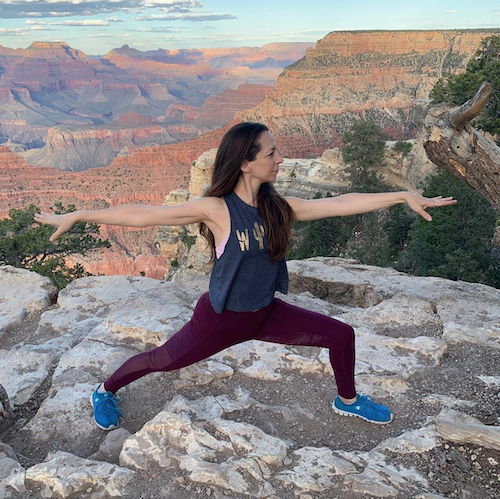
Lori doing warrior pose.

With that last point on engagement, I have been experimenting with different discussion boards tools and forums, but haven’t found one that I like yet, and that does not attract in a number of spam bots. Should you have a potential solution, please share it in the comments below.

Ahimsa Kids

Ahimsa Kids is our set teaching arm, where we provide teachers to the film industry to help keep school age actors up to date with what their peers are studying in school. Typically this has us teaching in small environments with 1 – 3 kids at a time. While we have to stick with the work that is being studied in the classroom, the assignments laid out by each young actor’s classroom teacher, and to the production’s schedule, there are ways to approach this with universal design for learning in mind. In training our teachers in set teaching, a lot of it is about learning to read the student with empathy in mind, setting out choices in their day to know when to tackle the harder work with them and find spaces for more relaxed educational activities and inquiry, and creating engaging and enriched learning opportunities, where possible.
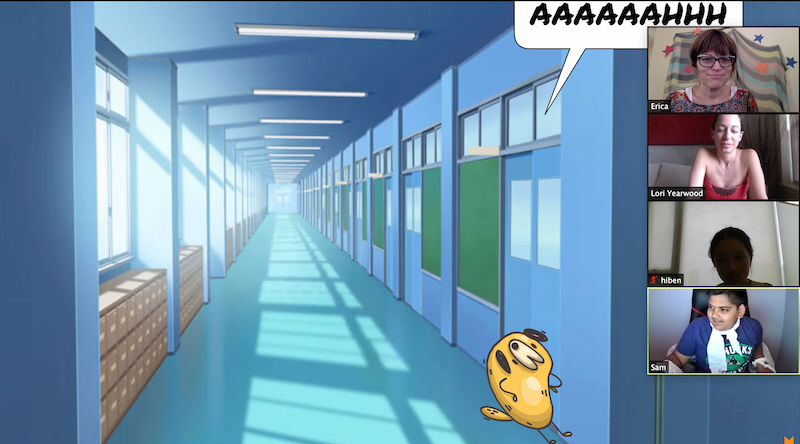
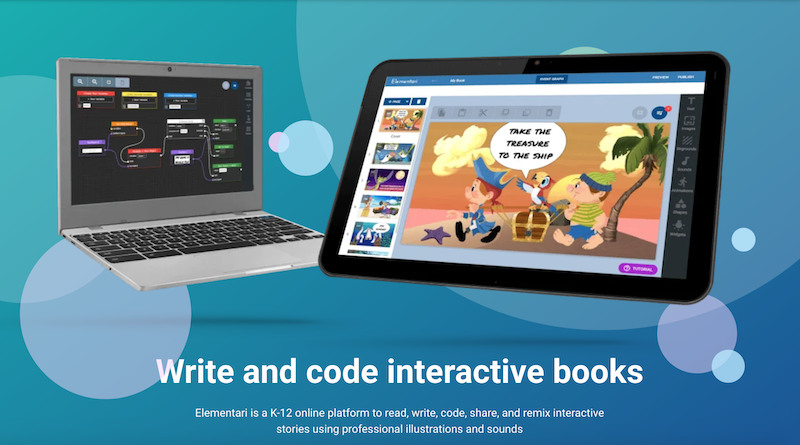
Interactive story building with kids in Elementari.

In terms of an inclusive design action plan for our set teaching, some of the ways we could be even more more accessible and inclusive, include:

  • creating a resource to teach my teachers about accessibility resources so that they are aware of accessibility tools that are available to them and their students
  • demonstrating for our teachers how they can utilise online set classrooms on the StoryToGo Classroom site to better support their students and aid them in their studies, both when teaching them in-person and virtually
  • setting up a professional development half day with our teachers to share accessibility resources, talk about effective use of virtual tools and spaces, and have each teacher share something from their own tool kit that they’ve found works well with kids on sets
  • introduce the option of setting up a Spatial classroom space, when teaching virtually, in addition to the zoom classroom and StoryToGo Classroom

Approaching our Digital Storytelling with Inclusive Design

Lastly, it is important to me that my team and I also approach our storytelling with inclusive design in mind. As we are cross-platform, interactive and immersive storytellers this means thinking about what inclusive design looks like to different forms of media from websites, to podcasts, to digital video, to augmented and virtual reality. Below, I share my initially thoughts on that pertaining to a few of our current mediums for storytelling.
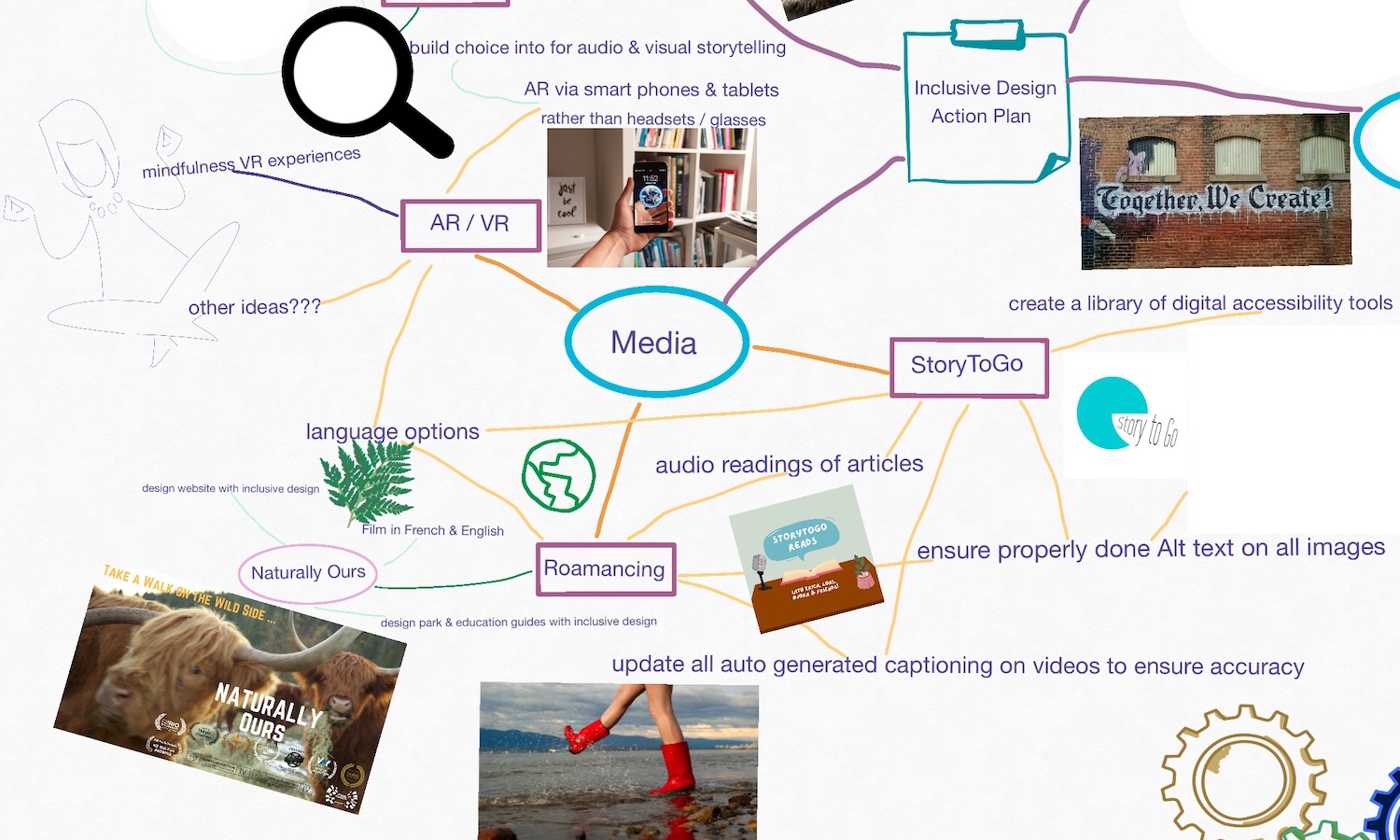
Media Creation Reflections on my Inclusive Design Action Plan Brainstorming Mind Map.
Reflecting on the media that my team and I create and how we might apply UDL and Inclusive Design to our content creation.

Digital Magazines, Blogs & Websites

  • add natural voice audio recordings to all articles, blog posts, and pages
  • in the case of the natural voice audio recordings of articles and blog posts, our plan is to additionally share these as a pseudo podcast to attract new audiences to our content via audio storytelling platforms
  • ensure that all imagery has properly done Alt text on it
  • add a translation tool to the websites
  • on StoryToGo create a library of digital accessibility tools
  • create a blog post series on StoryToGo giving people an overview of different accessibility tools
The Pseudo Podcast, StoryToGo Reads, of read article on the StoryToGo site.

Podcasts

  • where possible record interview / discussion style podcasts with the Fireside Chat App as it creates a live transcript while recording, and offers a number of different ways to interact with the in studio recording of the podcast, including reaction buttons, sound effects, texting responses, verbally asking questions, as well as the option of recording with audio and / or video
  • the Fireside Chat App also provides downloads of podcasts in both video and audio formats
  • update and fix the auto generated written transcripts of podcasts both on the Fireside Chat App and when sharing to other platforms

Web Series, Films & Other Digital Video

  • update all auto generated captioning on videos created by myself or my team to ensure accuracy in the captioning, where this has not been previously done
  • when possible, film in multiple languages to make as inclusive as possible at the onset
  • transcribe captioning into different languages
  • create screencast videos on different accessibility tools to accompany the blog post series on StoryToGo

Augment Reality & Virtual Reality

  • with augmented reality storytelling, design to work with smartphones and tablets, to create for a more accessible experience than the glasses provide
  • with augmented reality storytelling, build in choice for audio and visual storytelling
  • craft mindfulness virtual reality experience
  • approach both augmented and virtual reality storytelling with steady camera and high film quality in mind to reduce the effects of VR motion sickness
  • design augmented and virtual reality storytelling with short chaptered storytelling in mind to reduce the effects of VR motion sickness

Being Mindful of My Own and My Team’s Wellbeing in Implementing Our Inclusive Design Plans
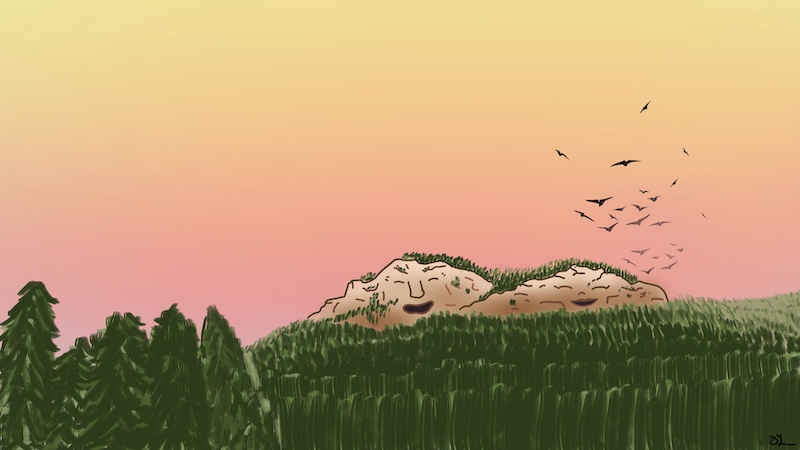
An artistic rendition of Mount Maxwell on Salt Spring Island as the Great Spirit Being.
An artistic reminder of Mount Maxwell from Season 1 of Naturally Ours and Hwiemtum’s words about connecting with nature for our health and wellbeing.

The key with thinking and approaching the various aspects of what we do in terms of universal design and inclusive design is not to be overwhelmed by it. Where we can approach new development and content with universal design and inclusive design in mind from the start, making the steps of approaching accessibility a habit and part of our content creation process. While also remembering that our own health and wellbeing is important too, so not beating ourselves up if we don’t get it all done on day one. Content can always be updated to improve accessibility later if need be, as long as we do not forget. This means training my team in this too, so I am not trying to do it all on my own.


Any Advice on Ways of Approaching Inclusive Design?

If you have any helpful tools or techniques for making your content more accessible with inclusive design in mind, then I’d love to hear about them in the comments below.
Filed Under: #StoryToGo, Accessibility, EdTech, Erica Hargreave, Storytellers Tagged With: inclusive design, UDL, universal design

Exploring Universal Design for Learning and the Evolution to Inclusive Design

July 20, 2022 by Erica Hargreave 1 Comment

Accessibility : make sure that learning is accessible to all citizens

In recent years, I have become increasingly interested in exploring Universal Design for Learning and its evolution to Inclusive Design. While I have always held a desire to make the courses, lessons and media that I create as accessible as possible, my newer disabilities from two car accidents have made me much more aware of accessibility issues in digital design. This has lead me to focusing some of my Master of Educational Technology work on exploring ableism, disability language and thinking, and universal design and inclusive design, so that I can both explore ways of challenging ableist thinking through my storytelling and improve the design of both my course materials and the digital storytelling content that my team and I create.

To listen to this article, click the red play arrow on the SoundCloud recording below:

StoryToGo · Exploring Universal Design For Learning And The Evolution To Inclusive Design – a StoryToGo Read

Readings on Universal Design for Learning and Inclusive Design

To process my thoughts and understanding around Universal Design for Learning and Inclusive Design from readings and videos from:

  • GDSE 584 Online
  • Universal Design for Learning: Theory and Practice by Anne Meyer, David H. Rose, and David Gordon.
  • What is Inclusive Design? from the Inclusive Design Research Centre
  • The Inclusive Design Guide
  • Inclusive Learning Design Handbook

… I invited colleagues, friends, and deep thinkers Lori Jones and Carrie Posner Sniderman to join me on an episode of the Encounters in EdTech Podcast to discuss and explore Universal Design for Learning and Inclusive Design. Tune in to that conversation in the video below or listen to the replay of the podcast on Fireside.

Exploring Universal Design and Inclusive Design in a Podcast Discussion

*Please stay tuned for the updated Closed Captioning, which will be available later this week. Current Closed Captioning is auto-generated and has errors that will be fixed.


My Reflections on Universal Design and Inclusive Design from the Readings and Discussion

Defining Universal Design for Learning

CAST defines “Universal Design for Learning as a framework to improve and optimise teaching and learning for all people based on scientific insights on how humans learn.”

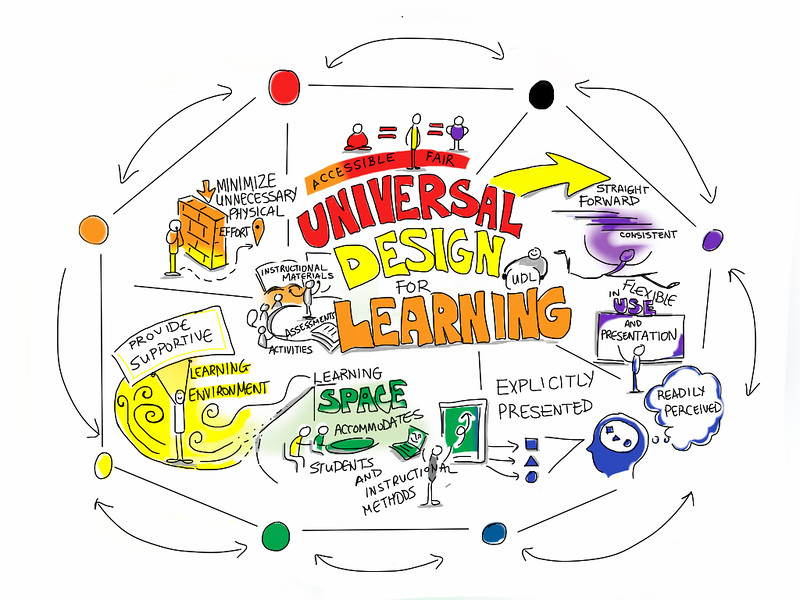
For me Universal Design for Learning means creating with choice and accessibility in mind, so that students don’t have to ask for modifications; while at the same time creating a safe environment in which students know that they can come to the instructor should they need help or something different. This is important as every learner is different, meaning that we all have different needs, things we excel at and things we struggle with. Creating different options and pathways to learning makes sense, as it gives everyone the opportunity to excel.

Universal Design for Learning : flexible, straight forward, minimise barriers, consistent, supportive
Image care of Giulia Forsythe

This makes a tremendous amount of sense to me from my own history of experiences as a learner and with disabilities. In my young life with dyslexia, I learned that if I couldn’t achieve my goals one way (usually the way recommended in education), I just needed to find a different pathway to that goal and around whatever was creating the obstacle in my accomplishing that goal. Luckily I am stubborn and determined, so became very good at such problem solving.

Similarly as I have attended numerous medical programs to learn to manage my chronic pain, I have learned that what works for someone with a similar diagnoses to me, may not work for me, and what works for me, might not work for them. As a case in point, one fellow in my Masters similarly to me had post-concussion syndrome. In asking him how he was consuming the online reading, which were aggravating my concussion symptoms, I learned that he used screen readers, which were a helpful aid to him. Frustratingly for me, I struggle with screen readers, as they aggravate my symptoms and instead need natural voices. We did discover however that we mutually find mindfulness, breathing exercises, and meditation to be calming and to help manage our concussion symptoms.

The key here with Universal Design for Learning is remembering that there is no magic one size fits all. Rather the trick is in finding what works for you. As a teacher or designer, what this means is giving students options in learning and sharing what they’ve learned.

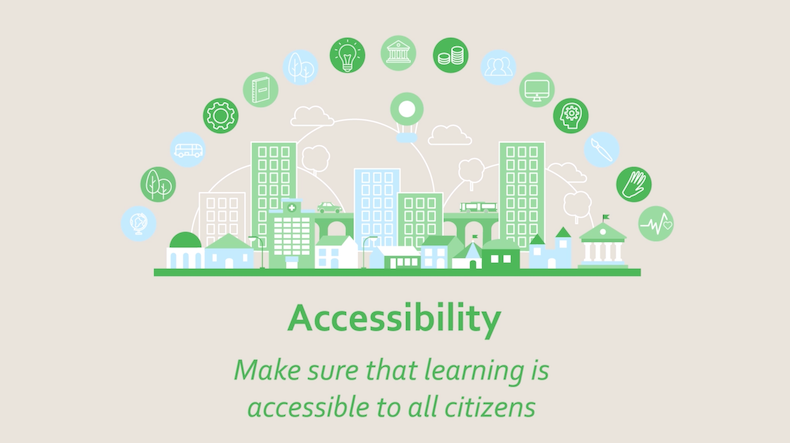
Accessibility : make sure that learning is accessible to all citizens
Image care of UNESCO Learning Cities

Framework for Universal Design for Learning

Universal Design for Learning is built around a framework of providing:

  • multiple means of engagement
  • multiple means of representation
  • multiple means of action and expression

Basically what this means is giving students choices – choices in how they engage with the course material and one another, choices in how students consume the course materials, and choices in how students share what they’ve learned.

Multiple Means of Engagement in UDL

As a teacher multiple means of engagement might mean:

  • discussion forums
  • ‘office hours’
  • scheduled group discussions
  • options of different tools for processing the course materials, like mind mapping or discussing over a podcast

Multiple Means of Representation in UDL

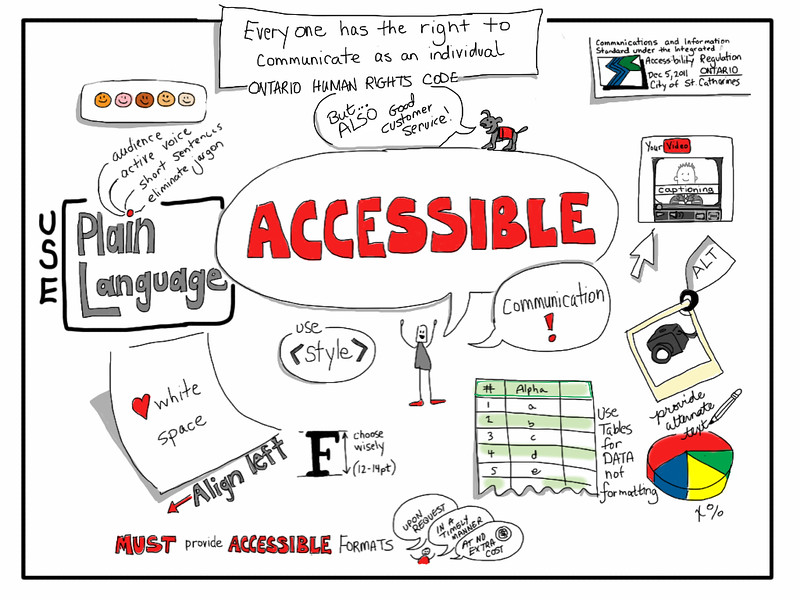
Examples of Accessible Communications, including aligning left, illustrating diversity, including captioning, adding Alt text to images, and using plain language. Everyone has the right to communicate as an individual.
Image care of Giulia Forsythe

What I am attempting to create in this post is an example of multiple means of representation of the information being shared. In this scenario, I am doing this by:

  • providing my reflections and learnings in written form
  • sharing audio readings of my writing
  • sourcing images via CC and Public Domain licenses that illustrate the ideas I’ve written about
  • adding Alt text descriptions to those images
  • creating a podcast discussion of the ideas shared here
  • making the podcast available in both video and audio formats
  • creating written transcripts of the podcast, available for download or as closed captioning (it should be noted that the initial version of this transcript is auto-generated, but will be updated to fix errors in the autogenerated transcript

Multiple Means of Action and Expression in UDL

Give students options in how they present what they have learned, with parameters, to make sure that they meet the learning goals.

Take for instance, the assignment that I am addressing with this post, we (the students) were asked:

Based on your understanding of UDL, and of why it is important to provide learners with a range of options, please explain, describe, and/or demonstrate how digital technologies might be used to provide learners with a range of effective options for: engaging with learning goals, learning tasks and learning materials, representing learning materials and information to learners, and showing and demonstrating what has been learned.

With the above assignment, we were told that we could present this in any way of our choosing, provided we shared it in a digital format that was included in a website and preferably embedded into that website. To help guide us, we were given the ideas of a slide presentation, multimedia presentation, or audio recording, but were not limited by those ideas, being invited to present in any other digital format that works well for us provided it could be included on a webpage.

As is illustrated above, Universal Design for Learning is NOT dumbing things down for students. Rather it is about empowering the student to take ownership over their education and build expertise in learning.


Evolution of Inclusive Design

For me, in this initial investigation into Universal Design for Learning, I wanted to explore a little bit further to discover what if any differences there were between Universal Design for Learning and the newer term I’ve been encountering – Inclusive Design.

As defined by the Inclusive Design Research Centre, “Inclusive design is design that considers the full range of human diversity with respect to ability, language, culture, gender, age and other forms of human difference.”

They stress 3 dimensions of inclusive design:

  • recognising diversity and uniqueness
  • ensuring an inclusive process and tools, meaning including individuals who have a lived experience of the “extreme users” the designs are intended for, respecting the edict “nothing about us without us”
  • encouraging the broader beneficial impact, beyond the intended user
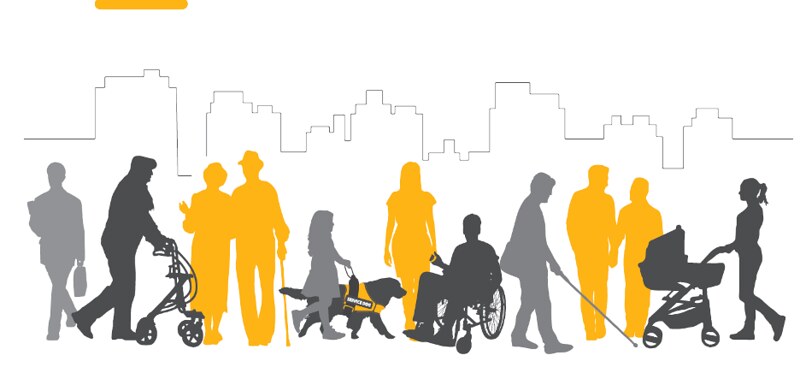
A mixed community of people of different colours, genders, and ages - together and alone; walking, in wheelchairs, with walkers, pushing strollers, with guide dogs, with canes.
Designing inclusive cities, care of the Government of British Columbia.

While all of that sounds highly beneficial, I was skeptical that the term Inclusive Design was not simply tied to misunderstanding of Universal Design for Learning or perhaps a degree of ego, especially as the Inclusive Design Centre states that the “most important difference <with UDL> is that we do not need to design one-size-fits-all”, which in reading Universal Design for Learning: Theory and Practice and reviewing CAST’s materials is not the model for Universal Design for Learning either. In reading the “Why not use the term Universal Design?” section of What is Inclusive Design? from the Inclusive Design Research Centre and discussing with Lori Jones on the podcast, I am realising that this shift is not so much about Universal Design for Learning and Inclusive Design for Learning being at odds with one another in their approach to accessibility, but rather a move away from past misinterpretation of Universal Design for Learning as being one-size-fits-all model, based on the evolution of societal thinking towards disability and systemic ableism.

Given the above, the way I am interpreting Inclusive Design is the next step in the evolution of the aspects of Universal Design for Learning that focus on digital design, acknowledging the inclusion of all in our design thinking.


Person with multiple thought bubbles.

What’s Your Perspective / Interpretation?

As I stated above, both with Inclusive Design and the broader topic of Universal Design for Learning, this is how I am currently interpreting what I am learning about Universal Design for Learning and Inclusive Design from my readings and discussions. Do you have a different perspective or interpretation of Universal Design for Learning and Inclusive Design? If so, share it in the comments below.
Share Your Stories / Experiences with Universal Design for Learning and Inclusive Design

I would also love to hear about your stories / experiences with Universal Design for Learning and Inclusive Design in the comments below.
Filed Under: #StoryToGo, Accessibility, EdTech, Encounters in EdTech, Erica Hargreave, Podcasts, Storytellers Tagged With: accessibility, inclusive design, universal design

Wellness in Online Learning and Online Work on the Encounters in EdTech Podcast

July 11, 2021 by Erica Hargreave Leave a Comment

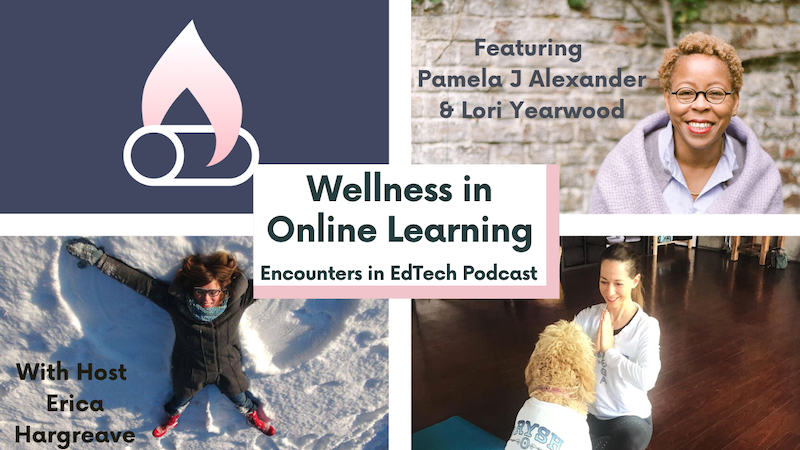
In our inaugural episode of the Encounters in EdTech Podcast on Fireside, we were joined by Mindfulness Coach Pamela J Alexander and Educator and Yoga Instructor Lori Yearwood as we discussed Wellness in Online Learning and Online Work, and Healthy Screenbreaks.

This is a topic that I am passionate about, as with having been met with a concussion while both working and studying online, it amplified the need for me to be conscious and aware of how I work and learn online, and what makes for positive experiences for me, as well as what is unhealthy for me.

Having been met with their own struggles, Pamela and Lori have taken what they have learned from building health and wellness breaks into their online learning and online work days, to build new careers around teaching others techniques in mindfulness, relaxation, and reducing anxieties. They share a little of that in this podcast.

You can find more of Pamela’s mindfulness teachings at pamelajalexander.com and teases to Lori’s healthy living, relaxation techniques, and anxiety busters on her instagram at @phoenixmoments and in this post about On the Go Mindfulness Activities on Roamancing. Lori is also one of the founders of StoryToGo, and the driving force behind the StoryToGo Classroom Health and Wellness Studio.


Encounters in EdTech is a podcast created by a collective of individuals in the edtech community, and hosted on Fireside.

Fireside is a new podcasting app that allows podcasters to record their podcasts with a live studio audience who can interact with the show. We broadcast live from Erica Hargreave’s Fireside Channel at https://firesidechat.com/ericahargreave.

Filed Under: #StoryToGo, EdTech, Encounters in EdTech, Erica Hargreave, Podcasts, Storytellers Tagged With: health and wellness, online learning

Animals in the Great War eBook – a Sustainable Funding Case Study

February 28, 2021 by Erica Hargreave Leave a Comment

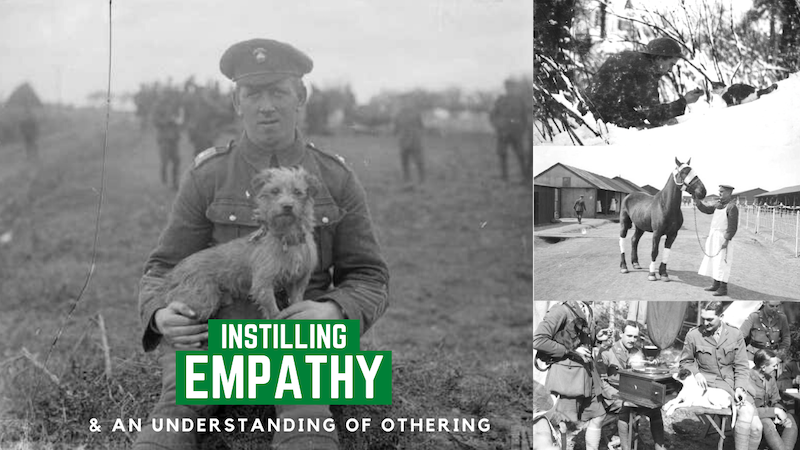
In March of 2019 we were fortunate enough to interview Maria Grazia Suriano, the researcher and writer of the eBook ‘Animals in the Great War’ for our Sustainable Funding Series for Media, Educators, Technologists, and Creators. Animals in the Great War is an open educational eBook designed to investigate the World War I and study its history from the standpoint of the animals that took part in it. In addition to the eBook, due to both necessity in crowdfunding this project and in observing what students responded, a number of digital photo and video storytelling pieces have been developed to compliment the eBook and engage students in this history in a manner that mirrors their storytelling preferences and that they respond with interest to. The target audience for the Animals in the Great War eBook are educators, history teachers, and students of history (high school aged and older). Below, we share that interview with insights into the Sustainable Funding Model that Maria and her team at Associazione Culturale Se utilized in funding the Animals in the Great War eBook, what Maria learned about crowdfunding, and how she will apply what she’s learned to future projects. Maria and I also discuss digital storytelling, teaching empathy, othering, breaking down borders, open education, and the Animals in the Great War eBook itself. Some of what we discuss here, Maria and her team at Associazione Culturale Se have gone on to apply to other projects, including her eBook ‘Percorrere la nonviolenza‘.

I’d like to be part of this different economy, this social economy. …. This is important. I don’t know how this could work in this all very capitalist world, but maybe this social economy could save us.

~ Maria Grazia Suriano, Writer of Animals in the Great War

Creators: Maria Grazia Suriano and Associazione Culturale Se

Country: Italy

Interview Date: March 28, 2019

Link to the Project: https://www.researchgate.net/publication/323612634_Animals_in_the_Great_War

Funding Method: Crowdfunding, Matching Funds Grant, Blood-Sweat-&-Tears


Interview with Animals in the Great War eBook Writer Maria Grazia Suriano


The Project : Animals in the Great War eBook

Animals in the Great War is a free eBook designed to explore the history of the Great War (World War I) through the stories of the animals from many different countries that partook in World War I – challenging the concept of borders, exploring othering, and instilling empathy.

This project, aimed at secondary school students and teachers, is designed to get young adults interested in learning about the history of the Great War (World War I) through the stories of animals. Stories like those of the pigeons in espionage, that cannot help but intrigue.

By learning about the war through the stories and perspectives of animals, it is hoped that it will encourage students to think critically about history, the construct of borders and othering, as well as instil empathy.

In the research, crowdfunding, and speaking on this project, it was recognized that it was not only the stories of animals in the war that were engaging students in this history education project, but the photo and video storytelling pieces shared in talks on and in the crowdfunding campaign. As such, stories within the eBook have been modified into smaller, more easily accessible storytelling pieces and shared via the Associazione Culturale Se’s blog:

Case Studies from Animals in the Great War

The Creators : Storytellers behind the Animals in the Great War eBook

The eBook ‘Animals in the Great War’ was researched and written by Maria Grazia Suriano, the co-founder of Associazione Culturale Se. Her colleague at Associazione Culturale Se helped with sourcing the images in the book and editing the book. A translator also worked with them to translate the book into English from Italian.

Maria Grazia Suriano is an independent historian, specialized on European history with a focus on identities, cultures, borders and ways to cross them.

In 2016 Maria cofounded Associazione Culturale Se, a non-profit organization with the aim of spreading inclusive knowledge and enhancing the subordinate subjectivities often excluded from institutional narratives. The Associazione Culturale Se’s focus with this is on promoting history education from the twentieth century, revolving around themes of desire,  empathy,  possibilities, responsibility, affectivity, differences, diversity, and solidarity. In doing this they offer courses and workshops in history education, and create educational history resources for use in the classroom, like the eBook Animals in the Great War and the accompanying Case Studies on their website. The organization’s funding plan is based on public financing, but as this is scarce the organization offsets its financing by offering editorial services, and Maria offsets her income as a copyeditor, yoga teacher, and translator.


Road to Funding Sustainably

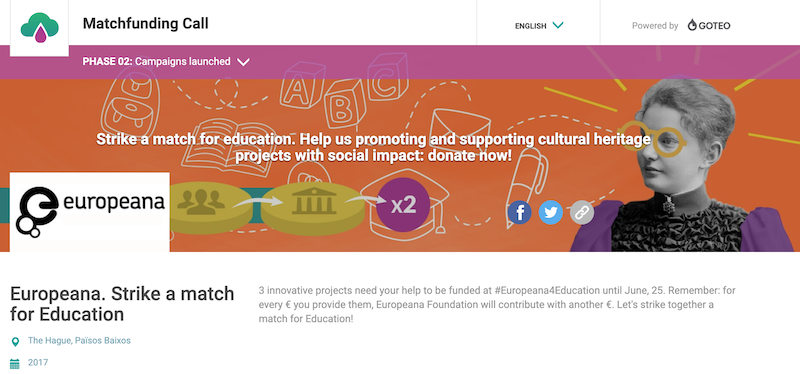
As mentioned above, the Associazione Culturale Se in the past has looked to public funding to finance their projects. In the case of the Animals in the Great War eBook, however, they embarked on a new funding journey by entering their eBook into a funding competition with the Europeana Foundation. The competition, Strike a Match for Education was a Matching Fund, designed to encourage co-investment between public and private institutions and the crowd. In this case, for each 1 EUR donated by the crowd, Europeana contributed 1 EUR up to a maximum of 100 EUR per donation and no more than 3,500 EUR per project, once the campaign achieved its minimum crowdfunding goals. To apply, the project had to be digital, use Europeana openly licensed content as a central element and be relevant to a secondary education audience (students 11-18 years and teachers).  Europeana was also looking for scalable and present ideas that would work across multiple countries and/or languages.

Three projects, including the Animals in the Great War eBook were approved for matching funds, and then entered into a crowdfunding campaign to raise the public portion of the funding on Goteo.

What is Goteo?

Goteo is a crowdfunding platform based in Spain which focuses on projects that generate a collective return through promoting the commons, open source code and / or free knowledge, creating as they call it, a social economy. They’ve coined themselves as the open source crowdfunding platform.

Some of the distinctive features of Goteo are:

  • its requirements of openness for the projects, which need to contribute to free culture or the commons in some manner;
  • enabling participants to contribute as volunteers for the projects, in addition to with money;
  • it is run solely by a non-profit foundation, the Spanish Goteo Foundation, enabling tax deductions for donations;
  • its code is free/open source and it has an open API; and
  • it enables other sources of income for projects by partnering with public and private institutions to run match funding competition and allowing successful projects to carry out a second campaign round to raise more funds.

Lessons in Crowdfunding

For Maria and her team at the Associazione Culturale Se this was their first crowdfunding experience, and they realized they were wholly unprepared for it.

It’s naive to approach crowdfunding without a network and digital strategist / strategy. You need to be prepared. A good idea is important, but it’s not enough to be successful in this social economy.

~ Maria Grazia Suriano, Writer of Animals in the Great War

With hard work and creativity, the Associazione Culturale Se were able to meet their minimum goal of 3,000 Euros with the matching funds from Europeana, which covered the cost of the eBook being translated into English from Italian. To help in reaching this goal, they utilized creative commons photographs from World War I and created video shorts with those images on the service of various animals in the war.

Maria and her team learned a lot about crowdfunding in the process, including:

  • that their project needed someone with experience in digital strategy, storytelling, and crowdfunding;
  • that (at the time of their campaign at least) crowdfunding is better suited to an international project and team, as the concept of crowdfunding was all very new to the Italian public; and
  • you need to be prepared and have a plan, as a good idea is not enough.

This also broadened their horizons on the potential of digital storytelling in education, in recognizing how their youth audience was drawn to the photo and video storytelling pieces they created as a part of the crowdfunding campaign. These digital storytelling pieces drew the young people into wanting to discover more about history, and ultimately got them questioning borders and thinking empathetically about those impacted by war.

Other Funding Streams

The Associazione Culturale Se had hoped to gain the support of an animal organization in the campaign, but unfortunately were not able to garner this. Maria suspects this was because they were too small as they had not begun to build an audience before the start of the campaign.


Future Building

While not as successful with funding the Animals in the Great War as they would have liked, Maria and the Associazione Culturale Se did learn a lot, and found that the idea of becoming a part of a social economy really resonated with their sensibilities. This is something they wish to explore more on future projects and even crowdfund again. Just next time they will be better prepared by approaching crowdfunding with an international project, with an international partner, a plan in place, and someone with digital strategy, storytelling, and crowdfunding experience to take the lead on that aspect of the project. They also learned that a book is not enough, and want to delve into other mediums and forms of storytelling to engage the students in history.

As they further grow a social economy around their project, they’d love to see companies with similar values to theirs be a part of making their work sustainable through sponsorship.


Culture Has to be Free

One of the fundamental believes of Maria’s and the Associazione Culturale Se’s is that culture needs to be free to make information accessible. One of biggest problems that teachers face is that they don’t have the money to buy the resources that they need. This problem does not solely sit with educators though, but also with learners. Many people don’t have the possibility to continue with their formal education after public schooling, making it important that they have something to think on, something different than a school book.

It’s important. Culture has to be free … at all levels, because many people have no possibility to continue after school. It’s important that they have something to think on … something different than a school book.

~ Maria Grazia Suriano, Writer of Animals in the Great War

Have a question for Maria? Ask it in the comments below, and we shall see if we can get you an answer.

A enormous thank you to BCIT for sponsoring this case study, to Grant for the Web for funding the broader Sustainable Funding Series,to the AMTEC Trust Award and CNIE for funding my professional development work around this work, and to David Porter for acting as an advisor to me in this work.

Filed Under: #StoryToGo, Case Studies, EdTech, Erica Hargreave, Storytellers, Sustainable Funding Tagged With: crowdfunding, ebook publishing, social economy

Elementari – a Sustainable Funding Case Study

January 25, 2021 by Erica Hargreave Leave a Comment

In March of 2019 we were fortunate enough to interview Nicole Kang, one of the founders of Elementari for our Sustainable Funding Series for Media, Educators, Technologists, and Creators. Elementari is a platform for creating interactive stories, targeted to schools, teachers, and kids. Below, we share that interview, insights into the Sustainable Funding Model that Elementari is building towards, as well as other conversations that Nicole and I had around diversity and inclusion in storytelling, open education, marketing, and Elementari itself. This was just the beginning of a journey that myself and our team at StoryToGo are taking with Elementari and Nicole Kang, as we have begun to use Elementari ourselves, creating our own interactive stories, and have taught kids and adults alike how to bring their stories to life with Elementari.

Elementari has a huge component that is based around computational thinking and trying to introduce coding concepts in a way that is not code to students who might not want to learn how to code.

~ Nicole Kang, Cofounder of Elementari

Creators: Nicole Kang & David Li

Country: France

Interview Date: March 24th, 2019

Link to the Project: https://www.elementari.io/

Funding Method: Blood-Sweat-&-Tears, Freemium Model, Workshops & Speaking Engagements


Interview with Elementari’s Nicole Kang


The Project : What Is Elementari?

Elementari is an online platform for building interactive stories, designed based on a culture of remixing. Users are able to add their own imagery and sound, but the platform is ultimately designed to remix the professional illustrations and sounds of artists. These artists are automatically credited when an Elementari user publishes a story using the artist’s work.

While Elementari can be used by adults, and holds a lot of potential for creators such as ourselves, the platform was ultimately designed for Kindergarten to Grade 12 schools, teachers, and youth, as a tool to facilitate reading, writing, coding, game design, and building an understanding of crediting artists and of remix culture. In the interview teaser below (starting at time marker 01:59), Nicole talks about her sensibilities behind Elementari …


The Creators : Who Are Behind Elementari?

Elementari was co-founded by Nicole Kang and David Li.

Nicole Kang is a bit of a world traveller, born in the US and now living in France. She studied Management Science at MIT, but most of her work experience has been in education, particularly around scientific inquiry and STEM. Included in this was working in the Educational Arcade at MIT. Nicole’s interest education took her to Taiwan to pursue a Masters, where she ran into issues in conducting experiments in scientific inquiry, as she doesn’t write in Chinese. This created a shift to ESL and ultimately to developing the concept for Elementari, sparked on by a course in digital ebooks. Nicole recognized the need for Elementari in the course as they were using InDesign which at that time she found unnecessarily complicated, frustrating, and impossible to share. All things that Nicole believes are counterintuitive to what education should. Rather she believes education should be open to everyone, allowing everyone to be able to learn, catalyzing her to leave her Masters to begin to build Elementari. In building Elementari, Nicole primarily focuses on the packaging, the marketing and the backend website development.

  • Nicole Kang

Meanwhile, David Li has focused on building the authoring tool. David’s background before starting Elementari with Nicole was in engineering, management, and linguistics.

I believe education should be open to everyone, allowing everyone to be able to learn.

~ Nicole Kang, Cofounder of Elementari

Road to Funding Sustainably

Early Days, Solving the Initial Challenges

Two of Nicole and David’s early realizations in developing Elementari and a sustainable funding model behind it were:

  • that they needed to have something built to show, in order to attract funding to the project; and
  • that they needed assets in the forms of illustrations and sounds for Elementari users to build their stories with.

After some initial unsuccessful pitching of Elementari in Taiwan and France, Nicole and David realized from comments like, “What’s the point of creating stories? Who reads stories? Who wants to write stories?” and “If you only need $100,000, then since you went to MIT, why don’t you just ask your friends and family to pitch in and pay for it?”, that they were going to need to build and demonstrate what Elementari was capable of, before continuing to invest their time in marketing the platforms to potential funders. Despite never having undertaken a digital development prior to Elementari, David and Nicole were determined that they could solve the first problem by teaching themselves and building Elementari on their own to present to potential investors. Impressively, they have done just that.

Not being artists, the need for assets needed a different approach to solve. For this, they recognized that many illustrators were sharing their assets on social media for likes, but that was the limit to the engagement they were creating around their illustrations. So they decided to invite artists to share their images on Elementari for users to build stories with. This enabled the artist to build upon their portfolio for marketing purposes, by giving them stats as to how Elementari’s user base are utilizing their images, and which images are the most popular. This has worked for them, attracting in artists like Len Smith, who illustrated Toontown in Who Framed Roger Rabbit, and Richard Walsh, who illustrated the Math Blaster Reading Series. Surprisingly Elementari’s team discovered that it wasn’t the young art students who were interesting in contributing images, but rather the older professional artists. They think this is because the professional artists like the idea of kids being able to use their artwork to create stories, they enjoy this different avenue to promote themselves, and as they see the future potential in profit sharing with the platform.

Funding Structure for Elementari Users

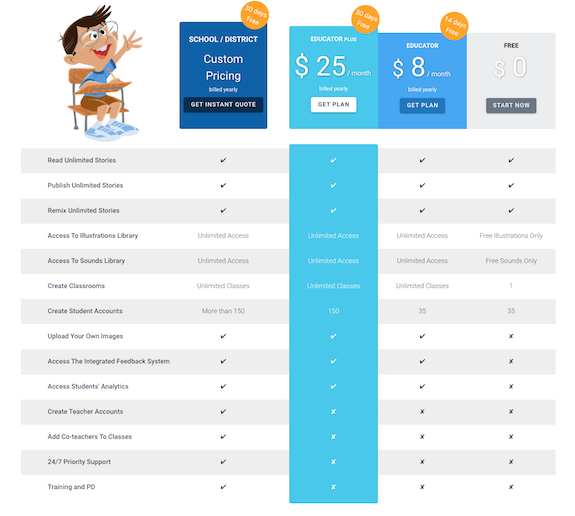
Currently Elementari is free for everyone to use to create stories with a limited library of images and sounds. A paid Premium version of Elementari gives users access to the entire library of images and sounds.

Similarly there is a free teacher tier for educators that allows for one class of up to 35 students, and then Premium versions for more capabilities, unlimited classes, more students, and for schools and school districts. You can see an example of Elementari’s plans for January 2021 below.

It is the Premium Educational Plans that the Elementari team sees as their sustainable funding model for the future.

We don’t want to put a barrier in the way for anyone to create. We want the disadvantaged kids to still be able to make their dino stories into reality. That’s one of our main goals.

~ Nicole Kang, Elementari Co-Founder

All the educational support materials that are being built to teach lessons with Elementari are public, and teachers are encouraged to adapt and remix to suit their individual classroom needs. Those can be found by clicking here.

Other Funding Streams

Other ways that Nicole and David are helping to fund the early days of Elementari, include:

  • writing workshops, and
  • pitching the Premium Model.

As part of pitching the Premium Model, they have been taking on educational partners to run case studies and develop curriculum. During the case study and curriculum development, the partner gets free use of Elementari, and then after the case study and curriculum development, the partner has the option to sign up for Elementari at a reduced rate provided they wish to continue using Elementari.


Future Building

In the future, some of Elementari’s goals include:

  • profit sharing with their artists (aiming for up to 70%),
  • working with the schools to create examples of what a good classroom library would look like to help convince the school gatekeepers that Elementari is a good investment for their school,
  • the option of non-remixable stories for sensitive content and for professional writers,
  • ability for readers to choose their own characters for a story.

Ultimately, creating a bottom up, product creation approach to marketing is what Nicole believes will work for Elementari. Basically working with educators and kids to demonstrate what is possible, in order to get Principles, School Districts, and Parents to buy in. It is with that in mind that Elementari has approached the COVID-19 pandemic, giving teachers and parents access to a free classroom account on a trial basis, offering a free virtual coding club, hosting free webinars for educators, and offering virtual field trips for Hour of Code.

Other strategies that help to market Elementari are:

  • that the stories are embeddable on other sites, and
  • an Elementari Ambassador Program with percentage sharing on sales.

Final Thoughts on Being an EdTech Entrepreneur

Some final reflections and advice from Nicole on being an EdTech Entrepreneur …


Have a question for Nicole? Ask it in the comments below, and we shall see if we can get you an answer.

A enormous thank you to BCIT for sponsoring this case study, to Grant for the Web for funding the broader Sustainable Funding Series,to the AMTEC Trust Award and CNIE for funding my professional development work around this work, and to David Porter for acting as an advisor to me in this work.

Filed Under: #StoryToGo, Case Studies, EdTech, Erica Hargreave, Storytellers, Sustainable Funding Tagged With: Elementari, sustainable funding

Gaming Learning from the Perspective of a Science Educator

December 17, 2020 by Erica Hargreave Leave a Comment

Reflecting on Learning through Games and Constructivism

Image care of Rafael Javier.

Recently, as I read Yasmin Kafai and Quinn Burke’s article Constructionist Gaming: Understanding the Benefits of Making Games for Learning and Kelly Tran’s article “Her story was complex”: A Twine workshop for ten- to twelve-year-old girls, it has had me reflecting on learning through games, constructivism, how I teach, and my own learning styles. With science and science education being central to my development as an individual, storyteller, and teacher, this naturally had me thinking on my years as a science educator, as well as what got me excited about science as a young person, and how that shaped my teaching in other subjects, including media arts. Through these reflections, I recognize that I’ve missed valuable learning experiences to not only create game based learning experiences for my students, but to get them designing the games.

The Predator-Prey Game – a game that taught me a lot both as a kid, and as a teacher when I developed this game for my students. In hindsight, getting my students doing the developing would have been an even richer learning experience. Image care of the Waterloo Nature Club.

The Twine below represents my reflections on Gaming Learning from the Perspective of a Science Educator.

You’ll need to give the Twine below a moment to load, in order for the black box to disappear.

[embed_twine story=”Gaming-Learning-from-the-Perspective-of-a-Science-Educator”]

I had another realization while reflecting and exploring project based learning and constructivism through the creation of this Twine, that perhaps this style of learning and education is what we need in order to allow diverse groups of students with different learning styles to succeed. Rather than prescribing how our students should learn and demonstrate their learning, constructivist project based learning allows student to find their own learning path in a way that works for them and allows them to shine. I always knew this is where I excelled as a student, and knew this is what built my confidence in my own academic abilities, and I have seen the same in the students I’ve taught, especially those who like me are considered to have ‘learning disabilities’. It hit me in these reflections that perhaps the reason for this is that when learning in this way, rather than telling others what they can and can’t do, and are and are not capable of, we are giving them the tools, platform, and freedom to create and discover for themselves, in a way that is meaningful for them – allowing them to approach learning and creating in a way that works for their individual needs. We need to make more such learning opportunities available to our young people, so that they too can shine and build their confidence.

Image courtesy of Gordon Johnson.

References

Kafai, Y. & Burke, Q. (2015). Constructionist Gaming: Understanding the Benefits of Making Games for Learning. Educational psychologist, 50, 4, 313-334.

Tran, K. M. (2016). “Her story was complex”: A Twine workshop for ten- to twelve-year-old girls. E-Learning and Digital Media, 13(5–6), 212–226. https://doi.org/10.1177/2042753016689635

Filed Under: #StoryToGo, EdTech, Erica Hargreave, Gaming, Storytellers Tagged With: game based learning, game design, project based learning

« Previous Page
Next Page »

Primary Sidebar

#StoryToGo is a community designed to reflect storytelling today – shared both through traditional means of oral storytelling, radio, film and TV, and print; in addition to newer forms of media storytelling through the digital arts, including gaming, blogging, online video, and social media.

Explore Past Posts


Tags

accessibility AI for filmmaking AI for videography AR art art therapy art therapy activities augmented reality BCIT clown crowdfunding crowdsourced Elementari elevator pitch Extended Reality FilmFreeway filmmaking game game based learning game design game development health and wellness home education improv inclusive design literacy NFT non-fungible tokens online learning open education phishing scam photography pitching poetry social media storytelling storyworlds sustainable funding universal design video game virtual conference virtual reality Web Monetization XR XR Development

On the Beat with StoryToGo

Follow along on StoryToGo’s digital magazine for our latest case studies, upcoming free courses and webinars, technology tips and tricks, story musings,  and our latest job boards!

  • Case Studies
  • Tech Tips
  • Events
  • Jobs
  • Our Community
  • Courses

Copyright 2012 © 2026 · Ahimsa Media · Log in